

Grow Your Business with Google Ads
Google Ads is used to help advertisers by providing tools to reach their target audience (Skillshop, 2019). Google Ads can help advertisers do the following:
- Drive sales
- Get Leads
- Increase website visits
- Influence consideration
- Build awareness
- Promote your app
Google Ads bases its values around three main principles. These are relevance, control and results (Skillshop, 2019). Relevance means that google will show ads to a target audience at a relevant time. It will also show the ad around many places such as YouTube and Google Search. Control means that the advertiser has power over the budget and strategy. This gives advertisers complete control over their campaign and can adjust as they see fit (Skillshop, 2019). Results means that advertisers will only pay when there are results such as clicks or calls. There are also tools that measure these results to see how well the ad is performing.
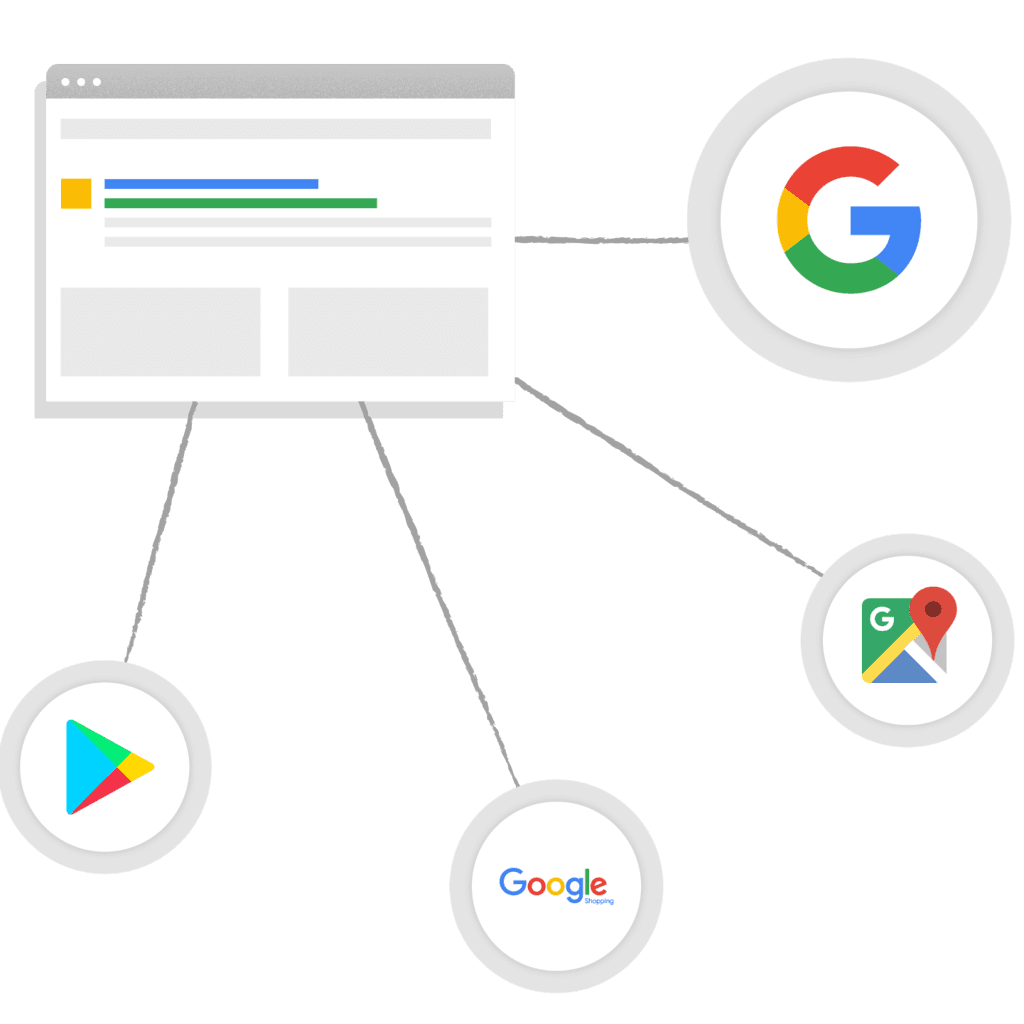
When creating an ad campaign, it is important to know what the goals are. Google Ads offers campaign types that determine the format and location in which the ads are displayed (Skillshop, 2019). These types include:
- Search
- Display
- Video
- Shopping
- App
- Local
- Hotel
- Discovery
Google also offers “Smart Campaigns” that automate campaigns for advertisers who are less experiences. There are many ways that Google can help to optimize a campaign. This includes ad extensions, bidding, budget settings, device, location and language targeting.
Explore the Value of Google Search
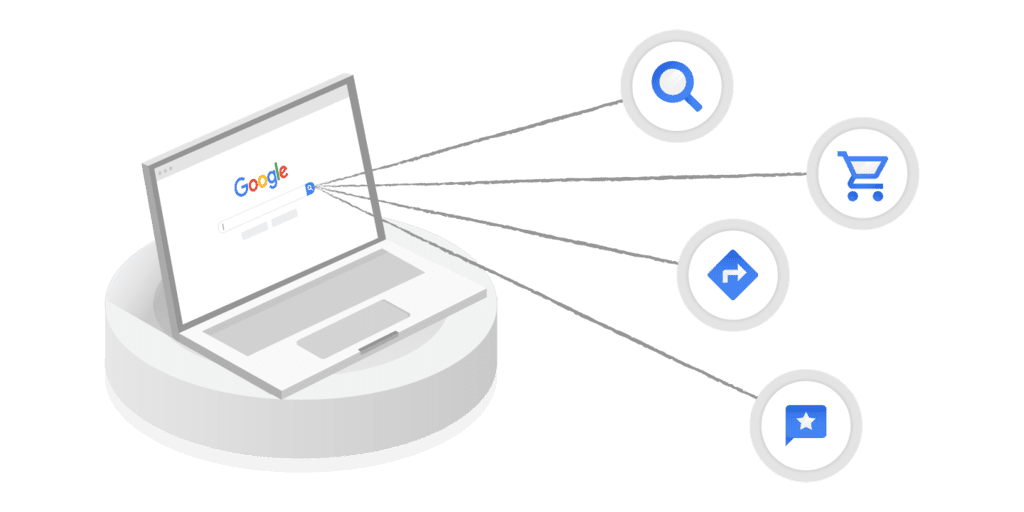
I know that I use Google search every single day of my life, in fact, 3.5 billion searches are made daily. Advertisers can take advantage of this through Google Search campaigns. This connects customers with businesses by displaying ads among search results. These can show up as text ads that are labelled as such, or shopping ads that are labeled as sponsored (Skillshop, 2019).
Search campaigns can help advertisers meet their goals and create new customers. To create a successful campaign, one must answer the following questions:
- Where will the ad be seen?
- What is the budget?
- What will be shared through the ads?
- What are keywords that customers will use?
The first step in creating a campaign is to figure out the goal. This is crucial for success- check out this article for more information about setting marketing goals! Within Google Ads, a goal should be set to achieve optimal results (Skillshop, 2019). The next step is to choose where the ads will be shown. Device type, location and language can also be set. Next, a daily budget is set and can be altered at any time. Finally, a bidding strategy needs to be set. This dictates how advertisers pay for interactions through metrics that should be focused on (Skillshop, 2019).

To ensure that the ads will reach the intended audience, the following steps need to be taken. To start, ad groups can be created that cater to different segments of the target audience (Skillshop, 2019). Each group should be centred around themes or products. They should also have a list of keywords associated with them (Skillshop, 2019).
Google Search ads will show up based on the bid advertisers make for a keyword. The computer will decide which ads are the best by taking bid and relevance into account.
Keywords are a very important part of creating online advertisements. These are the main things that controls the searches that your ads will appear on (Skillshop, 2019). Remember to think like a customer while keeping the goals of the campaign in mind. Google Ads offers a feature called broad match. This helps to bring the ads to a wider audience by including variations of keywords (Skillshop, 2019). Phrase match and exact match can be used to display more specific search queries.
Dynamic Search Ads (DSA) can improve the reach of an ad by using a computer understanding of a website. DSA can help improve reach, coverage, efficiency, transparency and control (Skillshop, 2019). Targeting can get much more customized through the use of DSA. These targeting options include:
- Landing pages from standard ad groups
- Categories
- URL contains
- URL is
- Page feeds
Understand the Google Ads Auction
The Google Ads auction plays a big role in deciding what ads are shown. This auction determines the cost per click and order that ads are displayed (Skillshop, 2019). Google Ads employs a second-price auction system that is specialized (Skillshop, 2019). To determine positioning, an Ad Rank is assigned. This rank is based on the following:
- Bid (max cost per click)
- Ad rand threshold (quality)
- Context of query (nature of search)
- Ad extensions impact (links, phone number, etc.)
- Auction-time ad quality (relevance)
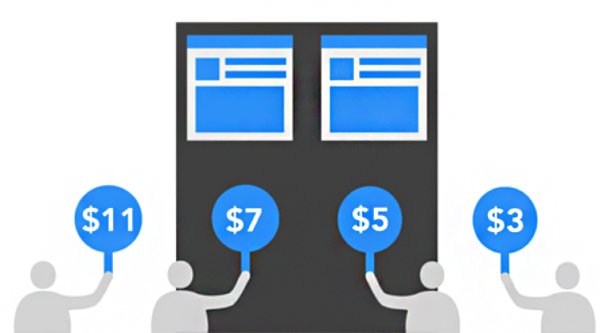
Improving the Ad Rank means that the quality score must be improved as well. Expected click through rate, ad relevance and landing page experience are the three main elements in quality score (Skillshop, 2019).
Deliver the Right Message with Text Ads
Text ads are a great way to deliver messages that are informative, relevant and engaging (Skillshop, 2019). These types of ads include a headline, URL and description. When creating text ads, it is best to use at least 3 extensions and have 3-5 ads in every ad group. It is also a good idea to optimize ad rotation for clicks and conversions. To create a text ad, follow these steps:
- Login to your Google Ads Account
- Select “Ads and Extensions” on the left page menu
- Click the “+” button and pick the text ad option
- Input the URL, headline and description. Optional fields can also be filled out.
- Click “save ad” once you are done
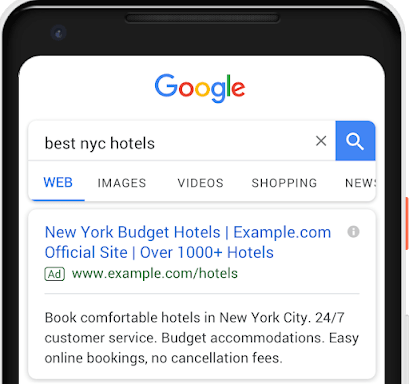
Responsive search ads are a type of ad that tests out multiple combinations of headlines and descriptions to deliver the most relevant ones to viewers (Skillshop, 2019). This can improve flexibility, relevance, reach and performance.
Make Ads Relevant with Search Ad Extensions
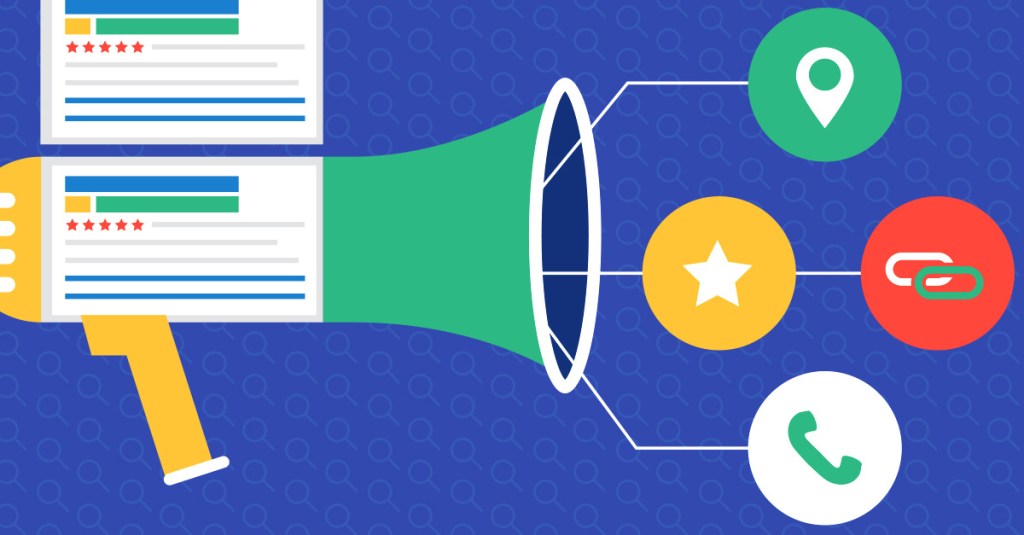
When users make a search on Google, they are looking for relevant information based on their moment and advertisements that enhance the experience. (Skillshop, 2019) Extensions can help achieve this by increasing engagement, improving quality and generating more leads. The three main extensions that should be used are:
- Sitelinks
- Additional links under text ads
- Callout extensions
- Short pieces of 25-character text to feature key information
- Structured snippets
- Describe specifics of a product before the ad is clicked
Through machine learning, automates ad extensions show viewers important information right away (Skillshop, 2019). Fully automated extensions don’t require any advertiser action. Advertiser-provided extensions are recommended by Google to increase impressions. There are many times that I have been searching for a product online and a search ad catches my eye. These extensions were most likely used on those ads to give me, the reader, more information about the product.
Increase Efficiency with Automated Bidding
Automated bidding is set up to maximize ad ranking. Performance, auctions and user journey are all important to keep in mind when bidding (Skillshop, 2019). It uses an algorithm to set bids in a way that saves advertisers time. When choosing a bidding strategy, you must keep your business goals in mind. The following is a list of goals and the strategies that work best with them:
- Awareness
- Target impression share
- Consideration
- Maximize clicks
- Conversions
- Maximize conversions
- Target cost-per-acquisition (tCPA)
- Enhances cost-per-click (eCPC)
- Revenue
- Target return on ad spending (Target ROAS)
Reach Valued Customers with Search Audiences
Google’s Search Audiences lets advertisers make audience lists to help reach marketing goals. When goals such as awareness, consideration and conversions are put in place, audience solutions can help greatly. When it comes to awareness, detailed demographics and affinity audiences should be used. For the goal of consideration, in-market audiences, remarketing lists for search ads (RLSA) and similar audiences search should be used. For conversions, customer match and RLSA are ideal(Skillshop, 2019).
Affinity audiences, detailed demographics and in-market audiences are also available to reach even more prospects. Remarketing lists let you set campaigns based on users who have past interactions with the site (Skillshop, 2019). This can help to create different audience lists for new and revisiting viewers. Customer match is a tool that creates audience lists by using uploaded customer data (Skillshop, 2019). This can help to reach customers who have not made conversions on the site yet. Similar Audiences lets you engage with customers that have similar traits to your existing customers.

Boost Performance with Optimization Score
The optimization score estimates how well an ad campaign is predicted to perform. This is in place to make sure you optimize your ad as much as you can before putting it out. Optimization scores are instant, customized and scalable (Skillshop, 2019). Google will make suggestions to improve optimization and will help to create more efficient advertisements.
Increase Conversions with Performance Planner
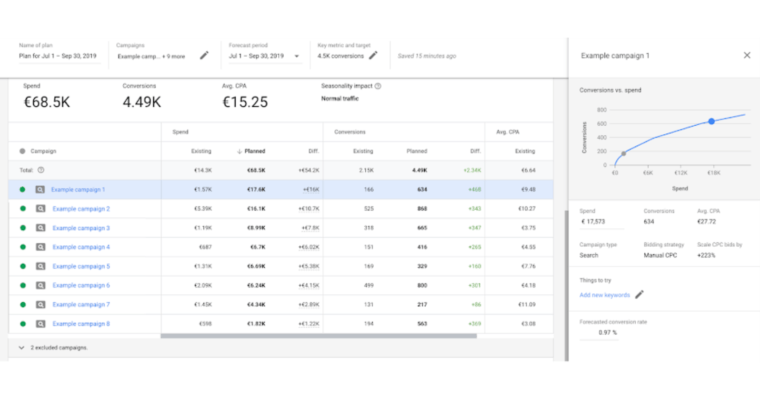
Planning is essential to a successful campaign and Google Ads offers tools to help with that. Performance Planner is a tool that forecasts budgets and helps to improve ROI. It finds optimal bids and forecasts future spending through machine learning (Skillshop, 2019). Advertisers should make plans for individual objectives, set bids using non-last click conversions and make sure to check the plan regularly. Performance Planner can also make recommendations to optimize conversions and improve ROI.
Conclusion
Although I personally do not have any experience using Google Ads, I found it very interesting to learn how they operate. I completed the “Google Ads Fundamentals Assessment” with an 86%, completing the certification. This certification can be very helpful on a resume, as Google is a widely respected company. I hope that the knowledge gained from this Skillshop course can help me in my future career.
As Google Ads are something the average internet user comes across on a daily basis, it is also important for the consumer to know about them. I do a lot of online shopping and I notice the search ads when I use Google to search for a product. For example, here is a search for wireless headphones.
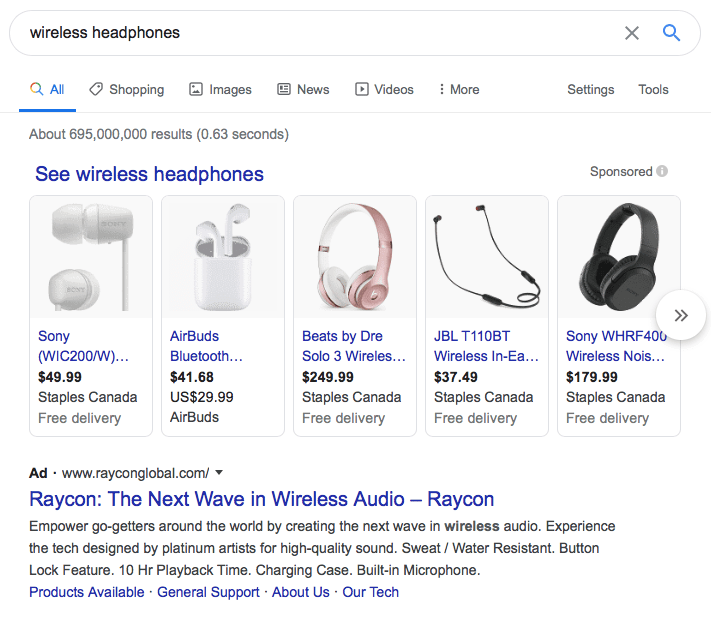
You can see the text search ad from Raycon, with a catchy headline, simple URL, enticing description and multiple page links. This is a pretty effective text ad, as it is relevant to my search and provides me with key information regarding the product. From a quick glance, I already know the features that Raycon headphones offer.
Works Cited
Ellering, N. (n.d.). How to Set SMART Marketing Goals. Retrieved from CoSchedule: https://coschedule.com/marketing-strategy/marketing-goals/
Skillshop. (2019, September 7). Google Ads Search Certification. Retrieved from Skillshop: https://skillshop.exceedlms.com/student/path/18128-google-ads-search-certification
 Citizen Media