
Overview
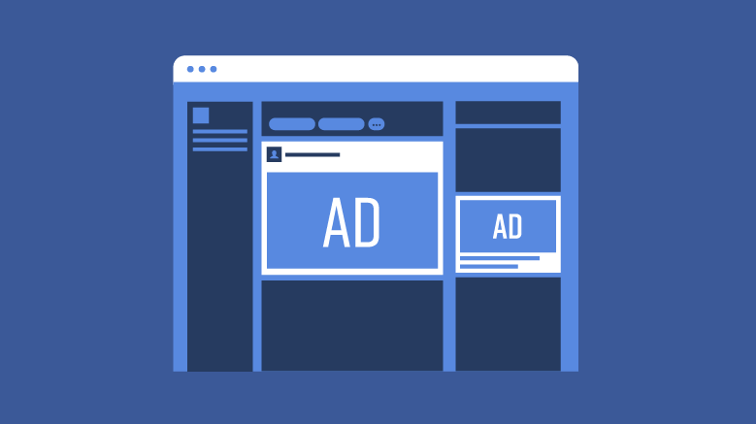
In the course “Advertising on Facebook” taught Megan Adams (2019), she describes the platform as a place where businesses can reach an audience that is already engaged in the platform. It is also very accessible to businesses of any budget. It is important to know the goal, audience, and budget for the ad before creating it. Adams (2019) points out that Facebook ads will appear in two ways. Either as a column ad on the sides of the page, or in the form of a post that is identified to be sponsored.
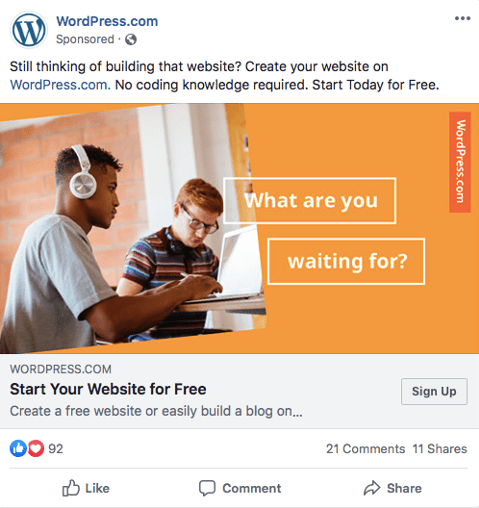
With ads in the form of a post, it is important to note that people can like, comment and share- just like any other Facebook post. These ads can also include a call to action link. This is where the business will have to decide what they want viewers to do and where they want them to go. Adams (2019) recommends scrolling through your own timeline to see what other advertisers are doing well on the platform. Pictured below is an ad from WordPress that appeared when I tried this. I think it does a good job of making their objective and call to action very clear. It is straight to the point and lets viewers know the exact service they offer.
Facebook also has an Ads Guide, that shows advertisers the different ad types they offer, along with the purpose of each. In order to create an ad, you must have a business page on Facebook. Then, simply go into the Ad Manager tool and click into your dashboard. This is where you can see all of the ads that are currently active or have ran in the past. Click on the “create” button and you can now start making the ad. This is where you can set up your objective, audience, placement, budget, schedule, format and media type. Adams (2019) states that it is very important to target ads towards the right audience. Facebook makes this easy with tools that set:
- Location (City, country, and neighbourhoods)
- Demographics (Age, gender and education)
- Interests (Likes on Facebook and user profiling)
- Behaviours (Purchasing habits, device and life events)
- Connections (Users connected to the page and their friends)
- Custom audience (Contact lists, website traffic and activity from app)
Important Definitions
Clicks: Number of actions such as likes, responses or app installs
Click Through Rate (CTR): Clicks over impressions- higher the number, better the performance
CPM: This is the cost per 1000 impressions. An impression is when an ad appears on a user’s screen, which does not guarantee that they saw it.
Cost per Click (CPC): Cost for each time someone interacts with an ad by clicking the link.
Frequency: Average amount the ad is shown to each person.
Reach: Amount of different people who saw the ad.

How Facebook Ads Work
In order to start creating advertisements on Facebook, you will need to have an advertising account and add a payment method. To set up the advertising account, you will need to go to the settings within ads manager. Here, you will be able to customize the advertising account. You can change the ad account and business name, time zone, currency, advertising purpose, address and tax ID. This is also where you can see ad account roles, which shows who has access to the account. If it is a business page account, you will have to go into business settings. There is also a “page” tab that shows the different pages that are connected to the advertising account.
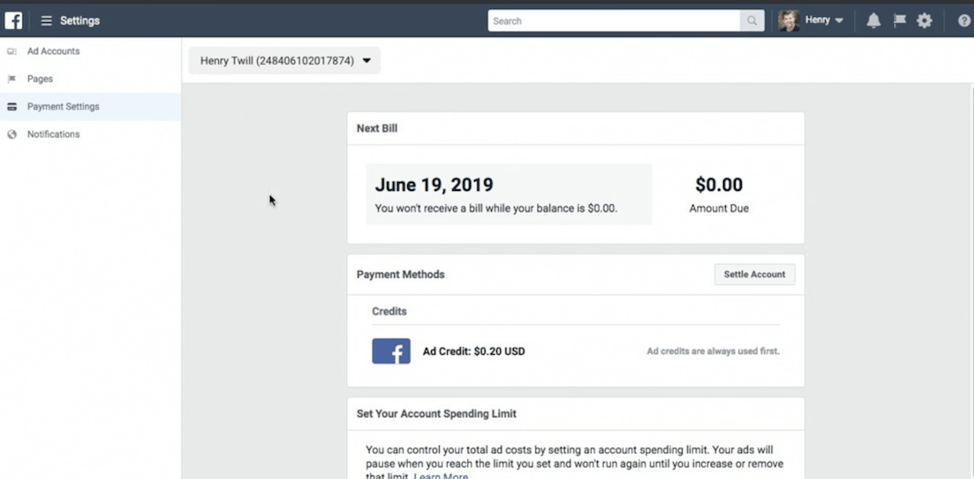
Payment setting can also be set within Facebook advertising. This tab is where bills, payment methods and spending limits will be shown. Adams (2019) recommends setting a spending limit, as it can be very helpful. This will set up a maximum cost for your ads and stop running them once the limit has been reached. There is also a tab to manage notifications, Adams (2019) suggests turning them all on at first, then slowly turn some of them off once you get more used to running Facebook ads. These notifications can be sent through email, notifications tab, and Facebook messenger.
There are three levels for Facebook ads. These are campaigns, ad sets, and ads. A campaign is the objective of the ad. Inside the campaign is the ad set, as a campaign can include multiple ad sets. These will lay out the target audience, placement, budget and scheduling. Inside that ad set will be the individual advertisements. There can be multiple ads in one ad set. This will define the imaging, messaging, and links.
Marketing objectives will be set using the ads create tool within the manage ads page. This tool is very helpful as it is essentially a walk through to help you reach your real advertising goals. Each objective option includes a brief description of what the objective entails. There are three categories of objectives- awareness, consideration and conversion. Awareness is for increasing brand awareness and reach. Consideration will aid in increasing traffic, engagement, app installs, video views, lead generation and messages. Conversions are to get viewers to do something specific, such as buying your product or coming to your store. When an objective is chosen, a split test and budget optimization can be run.
How to Create Facebook Ads
Adams (2019) states that choosing a relevant audience is important. This will increase the number of people who will interact with the ad and will help meet the goal of the ad. In the ad creator tool, you can choose the location, age, gender and language for the audience. There is also an audience gauge that will show you how broad or specific your audience is. When it comes to location, the country is the only mandatory field. You can also input the city but may not be available in some locations. You can also target to people who have different relationships to the location- such as living there, travelling there, or have recently visited the location. When an audience has been created, there is an option to save that audience so the same one can be used in future ads.
Facebook collects data about their user to show them ads that may align with their interests. Advertisers can use this to their advantage and set detailed interests for the audience. Each interest will show the size of that audience, other additional interests and description. When setting multiple interests, Facebook will target individuals who have at least one of the interests, not all of them.
Behaviours can also be added in the detailed targeting section. These behaviours are created from an individual’s activity online. This will also show the size, additional interests and description for the audience. The behaviour advertising section is still in its infancy, so it is not 100% accurate. There is also an option for connections targeting. This is to control if you want people who already have a connection with your page or not.
Next is the budget and schedule section. Here you can set the lifetime budget and daily budget. Adams (2019) suggests that the daily budget be fairly low if you are new to advertising and to not be frightened by Facebook’s large suggested amount. A start and end date can also be set, which is great for testing the advertisement for certain amounts of time. This section will also show how you are charged. This will vary depending on your objective and may be based per impression, click or action. A very specific schedule can also be created, setting what time of the day and days of the week that your ad will be run.
Placements will control where the ads will be on Facebook. The recommended setting is the automatic placement option, but you can also edit this placement to control it in more detail. Specific device types and platforms can be selected. Advertisers will need to make sure that each ad format will work properly with each platform placement. Some platforms that are available are:
- Feeds
- Instant articles
- In-stream videos
- Right column
- Suggested videos
- Marketplace
- Stories
- Feed
- Stories
Messenger
- Inbox
- Stories
- Sponsored messages
Facebook also includes an audience network option, which will run ads on other websites that have been approved by Facebook. Some types of ads that can be placed on these websites are:
- Native, banner and interstitial ads
- In-stream videos
- Rewarded videos
When in the ad creation tab, you can choose to either create a new ad or use an existing post. Be sure to connect the correct Facebook page or Instagram account. Here is where you will select the format, text, URL and media for the ad. Images, videos or slideshows can be used. Stock images are also a free option and work well for companies who do not have the money for a photographer. Adams (2019) recommends using a URL on Facebook ads, as it will help viewers learn more about the business. Display links, headlines, descriptions and a call to action can be added to the link as well. Facebook pixel can also be turned on. This will show the people who visited the website and where they clicked.
View Your Advertising Data
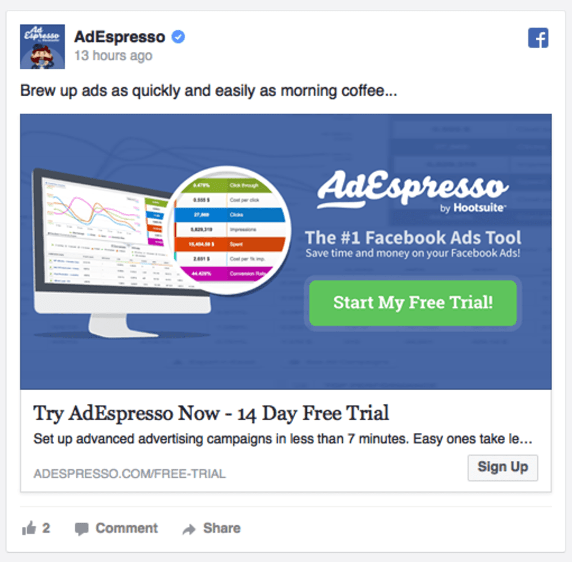
In the ad manager, you can look at the data for all of your ads. There are 4 tabs: account overview, campaign, ad sets and ads. This means you can take a look in more detail into these sections. There is also a date range at the top which will show you data in that specified amount of time. The overview tab will show the total reach, impressions, clicks and amount spent. It also shows the objectives of the ads and the measurables that go along with that. Age, gender, location and time of day can also be seen.
The campaign, ad set, and ad tabs will show the specific ads that were shown during the time frame selected. These tabs can also be further customized by choosing columns that you would like to see. There is also an option to edit ads actively to see activity and a history of changes on it. Creative reporting will show the creative of each ad and how it performed. There is also a search and filter options to find ads easier.
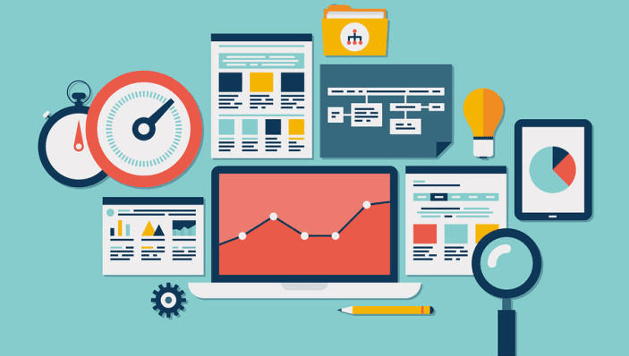
Reports can be accessed in the ad manager tab in the top right drop down menu. You can choose to export the reports of the data that is on your dashboard. You can also choose “create a custom report”, which will show you the information that you would export and see the results of the report. This can be easily filtered and organized in a way that best fits your needs. The date range for the report can also be changed within this window. A share link is also available for quick and easy sharing with colleagues or clients. Facebook also includes standard report templates that Facebook thinks you may benefit from.
The campaigns tab will show the things that you will find the most important. This includes the results, reach, impressions, cost per result and amount spent. It is important to recognize which of these metrics will measure the success of your strategy the best and is usually a mixture of multiple.
The accounts overview tab will show the amount spent on advertising in a specifies time period. This can be shown by total, date, objective, and demographics. To see the total amount that your account will be billed for, you must navigate to the billing and payments option in ad manager. In the lifetime timeframe view, you can see every transaction that has occurred. There are also many search options for these transactions.
Implement Best Practices
When writing the ad, it is important to have a call to action that tells the audience what to do. A good way to do this is through a call to action button on the URL link. You can also have someone else take a look at your ad before running it. This will make sure that the ad will make sense to the viewer. It is also good to test and run many different ads to see which one will perform the best for you. Using an attention-grabbing picture is also a good idea, as it is a very visual way to draw the viewer in. Images using bright colors and people will work better to grab this attention. The free stock photo option is a great tool to maximize this. These images should feel natural and relevant to your business. Makes sure the stock image you choose is not being used by lots of other brands. You also test your images as they are the most important visual part of the ad.
To improve ad performance, one should make sure that the content is relevant to the audience. This means it should appeal to the interests, behaviours and demographics of your target audience. An ad should also have a landing page, which is the URL that is attached to the ad. Make sure the link is relevant to the specific ad and easy to navigate. Analyzing reporting data will also help improve performance by identifying trends in the data. In this fast -paced online era, ad fatigue should be avoided. This means users should not be shown the same ad over and over as they will get tired of it.
Facebook has a few rules and policies when it comes to running ads. Some of these include:
- No newsfeed ad images with more than 20% text
- Landing page must be related to the ad
- Be appropriate and honest with messaging
My Conclusion
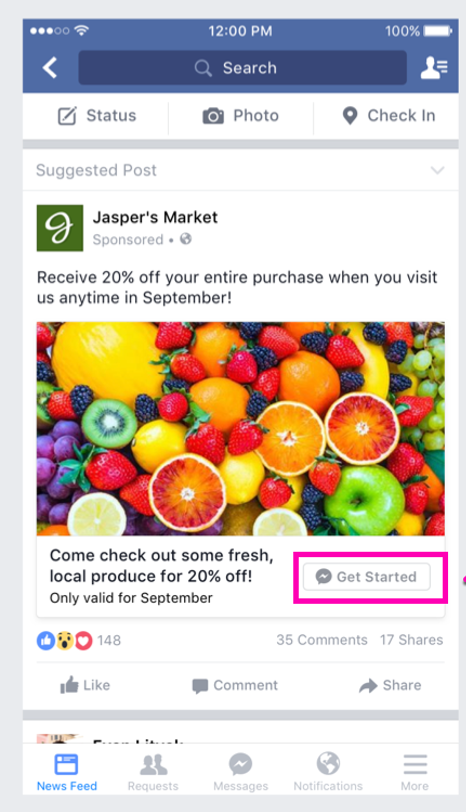
Facebook ads can be a very effective tool to promote a business when used properly. For example, take a look at this ad for “Jasper’s Market”. This ad implements many of the recommendations made by Adams (2019). A very bright and colorful image was used to immediately catch the attention of the viewer. They also included a clear call to and added a relevant link for them to receive that discount.
Bibliography
Adams, M. (2019, October 2). Advertising on Facebook. Retrieved from Linked In Learning: https://www.linkedin.com/learning/advertising-on-facebook-2/introduction-to-facebook-ads?u=2109516
 Citizen Media